
How to submit form 15CA in bulk offline?
Discover a streamlined process for bulk offline submission of Form 15CA. Simplify your financial transactions effortlessly with our expert guide on Form 15CA submission in batches.
Procedure for submission of Form 15CA Offline – Bulk Upload
Assumptions:
· You must be a registered person withinside the e-Filing portal.
· You have already downloaded Form 15CA from the e-Filing portal.
· You have already got more than one XMLs and saved the folder on your desktop.
Procedure:
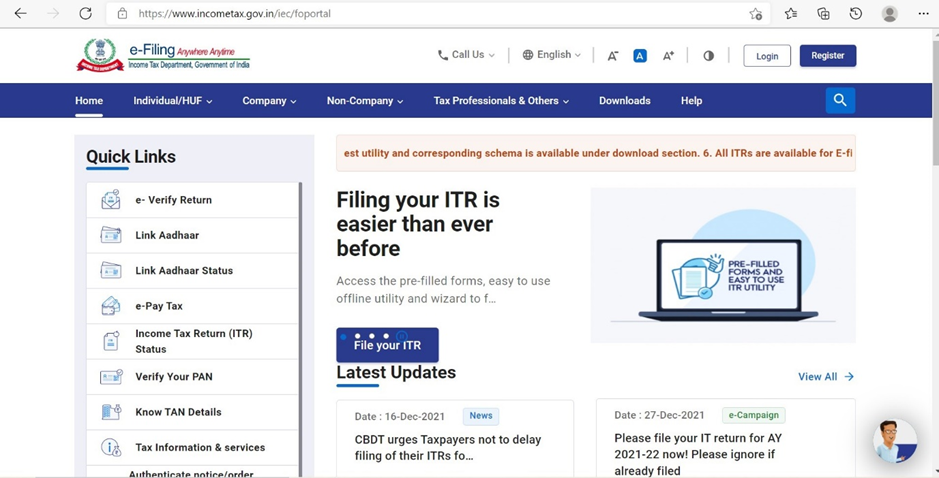
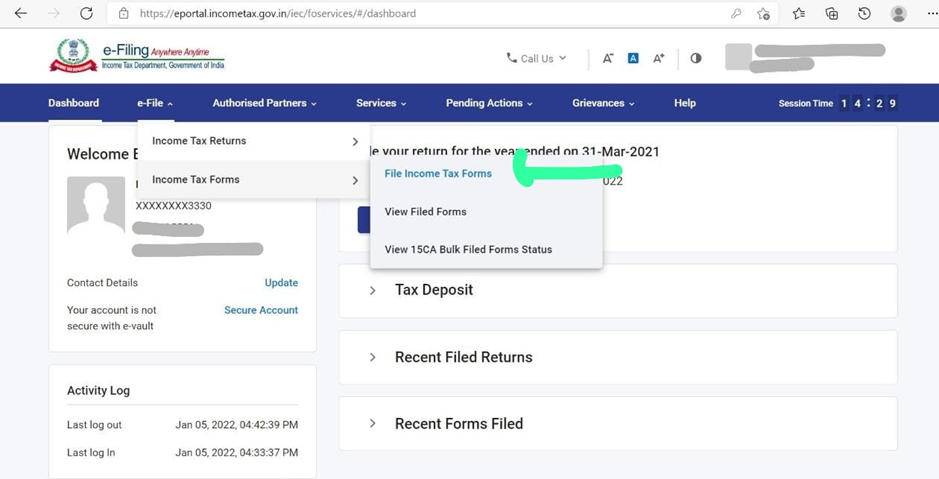
Step 1 – Login to e-Filing portal. Navigate to “e-File” menu and select File Form 15CA under File Forms sub-menu.
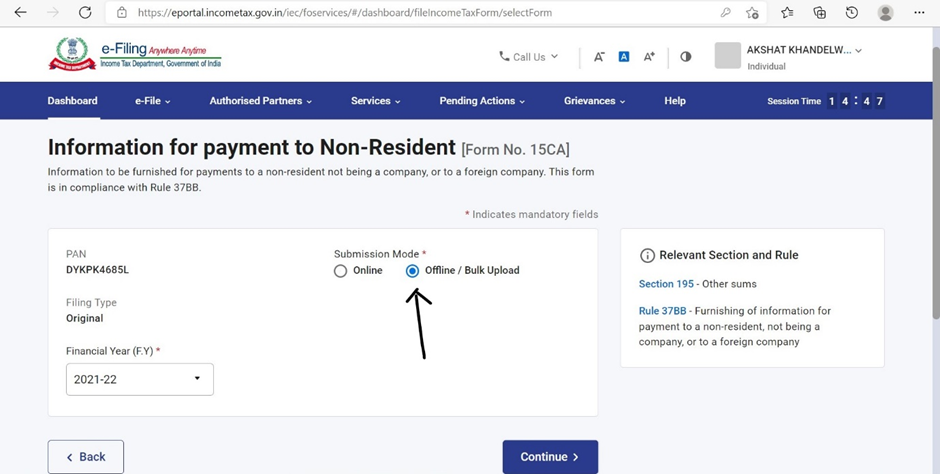
Step 2 – On selection of Form 15CA, PAN/TAN of Assessee is auto populated. Provide Financial Year, Filing Type and Submission Mode “Offline/Bulk”.
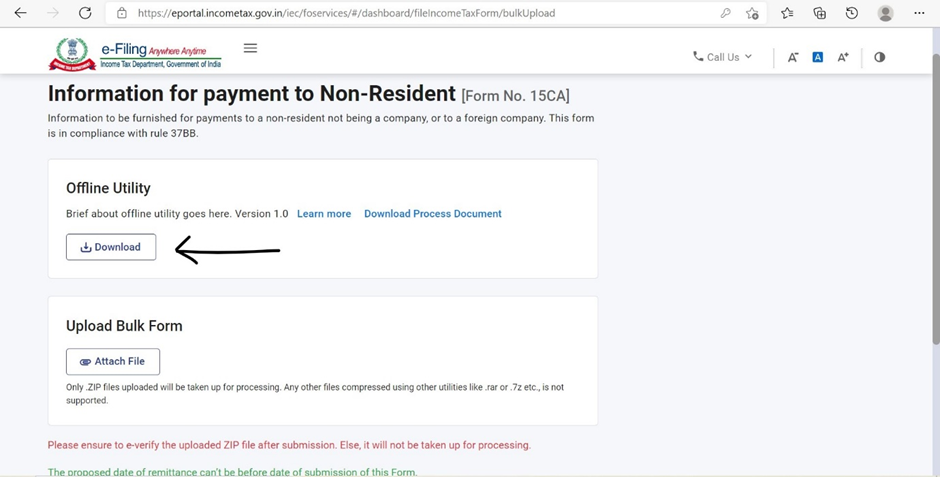
Step 3 – Download the Form 15CA Offline Utility. Alternatively, the utility can also be downloaded from “Downloads” section of the Homepage under Income Tax Forms page.
Step 4 – Prepare individual XML’s for Remitter, Remittee and CA (only for Part-C) combination. Zip single/multiple XML’s. In case of Part-C, the taxpayer has to import XML of Form 15CB submitted by the CA. The submitted Form 15CB XML can be downloaded from View e-Filed Forms functionality post login.
Step 5 – Upload the zip file and submit using prescribed modes of e-verification. A Token Number is generated.
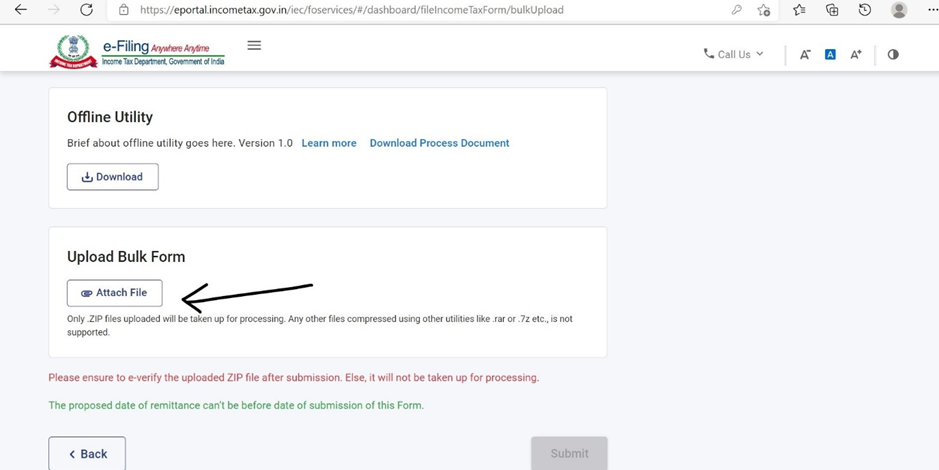
Step 6 - Login to e-Filing portal. Navigate to “e-File” menu and select View Form 15CA Offline/Bulk menu under View Income Tax Forms sub-menu.
Step-7 -The status of each individual XML under the Token Number will be shown as a Success or Failure once the processing is completed. In case an XML is a Success, an Acknowledgement Number is generated for each Form 15CA. Downloadable PDF of Form 15CA will be made available in view filed forms. A valid acknowledgement is also generated for submission of 15CA/CB.
Step-8 - In case of a Failure, no Acknowledgement Number will be generated and reasons for failure will be shown. Re-upload corrected XML file with corrected validations/data after considering reasons for failure. In this case the failed XML can be again zipped and uploaded. Taxpayers are also provided an export option to download the ARN number, processing status, XML file name to identify any failed XML’s.