
How to File Form 145 (Earlier Form 15CA) Online – Complete Guide for Parts A, B, C & D (FY 2026–27)
Learn how to file Form 145 (earlier Form 15CA) online for FY 2026–27 with this complete guide. Understand Parts A, B, C and D, Form 146 requirements, eligibility, required details, e-verification, acknowledgements, and step-by-step filing procedures through the Income Tax e-Filing Portal.
If you’re making a payment to a non-resident or a foreign company, you may need to file Form 145 (earlier Form 15CA) before the remittance can be processed by your authorised dealer (AD) bank. The form is a declaration to the Income Tax Department regarding the nature of the foreign remittance, its taxability and the applicable tax deduction.
However, not every taxpayer has to fill the same part of Form 145. The applicable section depends on factors such as the amount of remittance, whether the payment is taxable in India and whether a certificate from the Assessing Officer or a Chartered Accountant is required.
This guide explains each part of Form 145 in detail and provides a step-by-step walkthrough for filing the form online.
Understanding the Four Parts of Form 145
Before starting the filing process, it is important to identify the correct part of the form.
Part A – Taxable Remittances up to ₹5 Lakh
Choose Part A when:
The remittance is chargeable to tax in India.
The total of all such remittances during the tax year does not exceed ₹5,00,000.
Typical examples
Small royalty payments
Consultancy fees
Professional fees
Technical service fees below the prescribed threshold
Information required
You will need to provide:
Details of the remitter (payer)
Details of the remittee (foreign recipient)
Details of the remittance
Nature of payment
Applicable section under the Income-tax Act
Tax deduction details (if applicable)
Declaration by the taxpayer
Since the remittance is within the prescribed threshold, Form 146 (earlier Form 15CB) is generally not required, unless specifically mandated under applicable provisions.
Part B – Taxable Remittances Above ₹5 Lakh with Assessing Officer’s Certificate
Choose Part B when:
The remittance exceeds ₹5 lakh during the tax year.
The payment is taxable in India.
You have obtained a certificate from the Assessing Officer under Section 395(1) or Section 395(2) of the Income-tax Act, 2025.
When is Part B generally used?
This part is relatively uncommon and applies where the taxpayer has already approached the Income Tax Department and obtained an order determining the tax to be deducted.
Information required
Along with the remitter and remittee details, you must enter:
Assessing Officer’s certificate details
Certificate number
Date of issue
Details of the remittance
Declaration by the taxpayer
Part C – Taxable Remittances Above ₹5 Lakh with Chartered Accountant’s Certificate
This is the most commonly used section for large foreign remittances.
Choose Part C when:
The remittance exceeds ₹5 lakh during the tax year.
The payment is taxable in India.
A Chartered Accountant has issued Form 146 (earlier Form 15CB).
Common examples
Royalty payments
Software licence fees
Technical service fees
Foreign consultancy payments
Interest payments
Commission payable outside India
What happens in Part C?
Unlike the other parts, you don’t manually enter all the information again.
Once you enter the Acknowledgement Number (ARN) of the filed Form 146, the portal automatically imports the details submitted by the Chartered Accountant, including:
Remitter details
Remittee details
Accountant’s particulars
Remittance details
Taxability under the Income-tax Act
DTAA details
TDS details
Declaration
You only need to review the information, verify its correctness and submit the form.
Part D – Remittances Not Chargeable to Tax
Choose Part D when:
The payment is not taxable in India.
The remittance is not covered under the specified exclusions prescribed under Rule 220(3).
Common examples
Import of goods
Certain reimbursements without any income element
Payments that are exempt under the Income-tax Act
Other non-taxable foreign remittances
Although no tax may be deductible, filing Part D informs the Income Tax Department that the remittance is not chargeable to tax.
How to File Form 145 Online (Parts A, B and D)
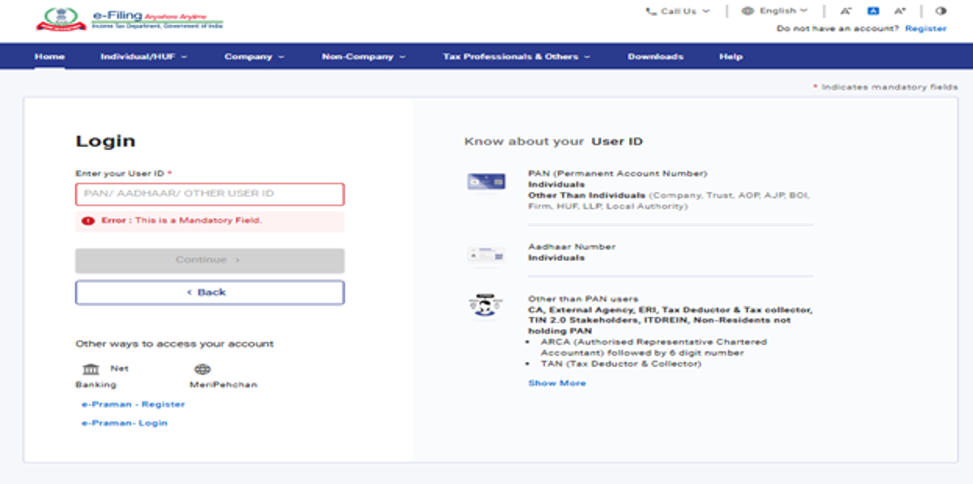
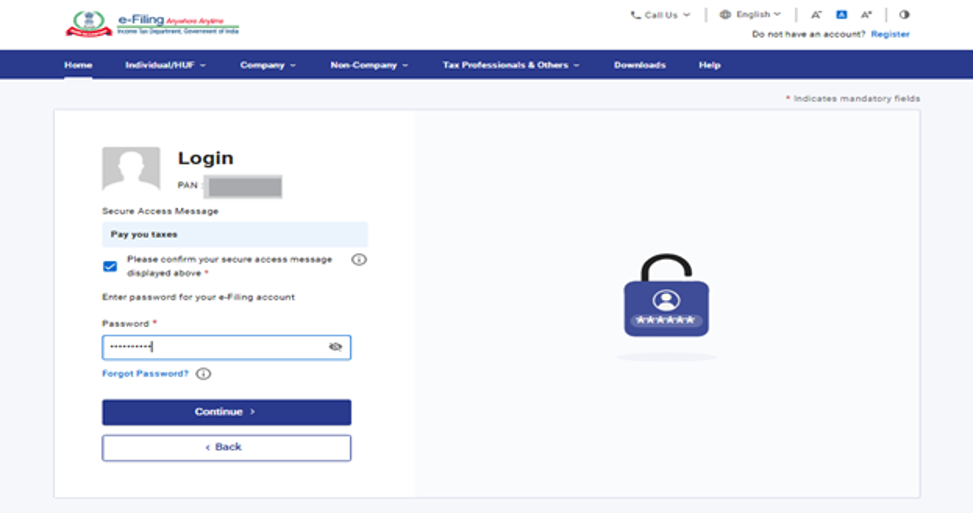
Step 1 – Log in to the Income Tax e-Filing Portal
Visit the Income Tax e-Filing Portal.
Enter:
- User ID (PAN/TAN)
- Password
- Captcha
Complete OTP verification if prompted
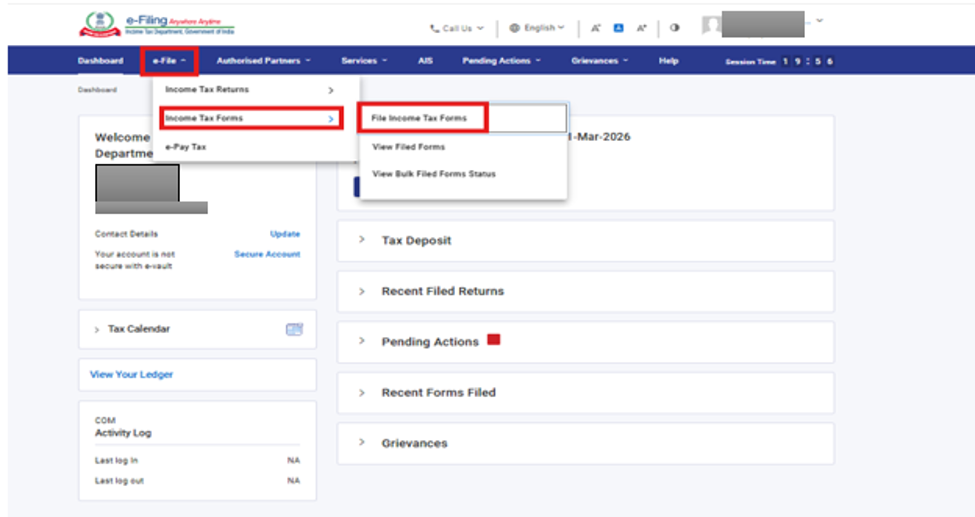
Step 2 – Open Income Tax Forms
After logging in:
- Click e-File
- Select Income Tax Forms
- Click File Income Tax Forms
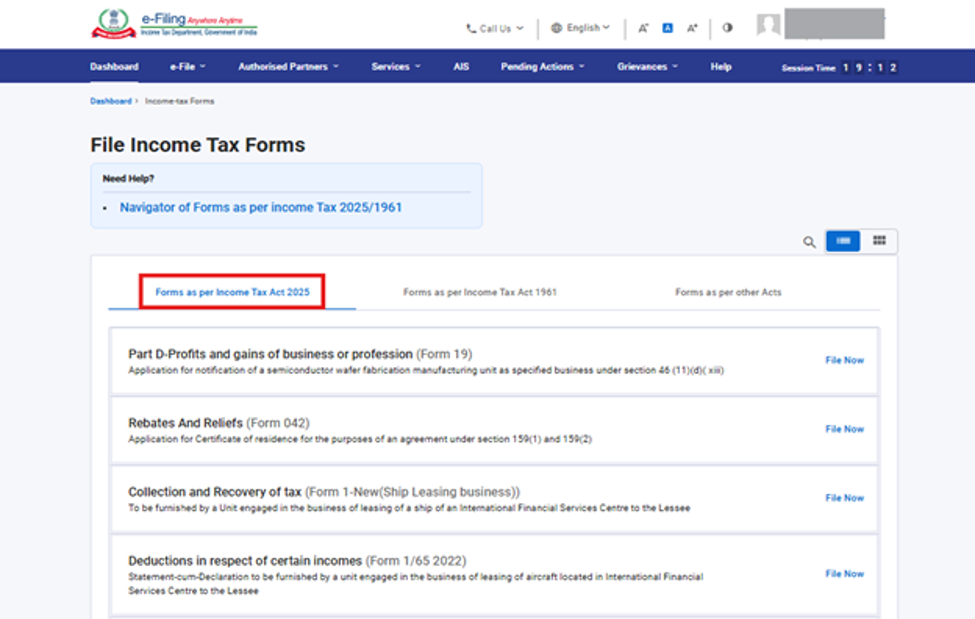
Step 3 – Choose the Income-tax Act, 2025 Forms
The portal displays multiple categories.
Select:
Forms as per Income-tax Act, 2025
Step 4 – Search for Form 145
Search for:
Form 145
Click File Now.
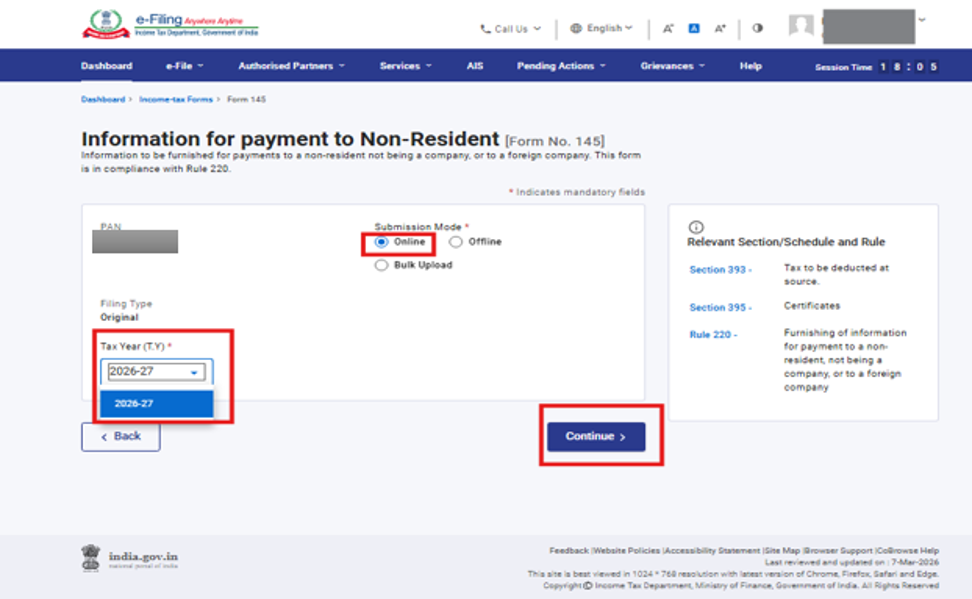
Step 5 – Select Filing Mode
Choose:
Online
Tax Year
Click Continue.
Step 6 – Start Filing
Click Let’s Get Started.
The portal opens Form 145.
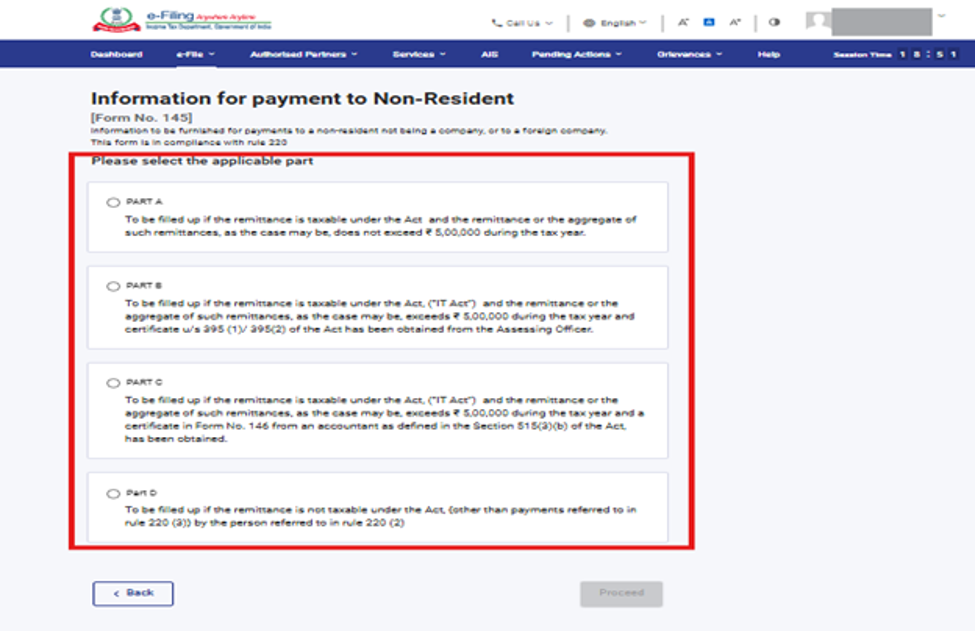
Step 7 – Select the Applicable Part
Choose one of the following:
- Part A
- Part B
- Part D
Select only the part applicable to your remittance.
Choosing the wrong section may result in validation errors or rejection.
Click Proceed.
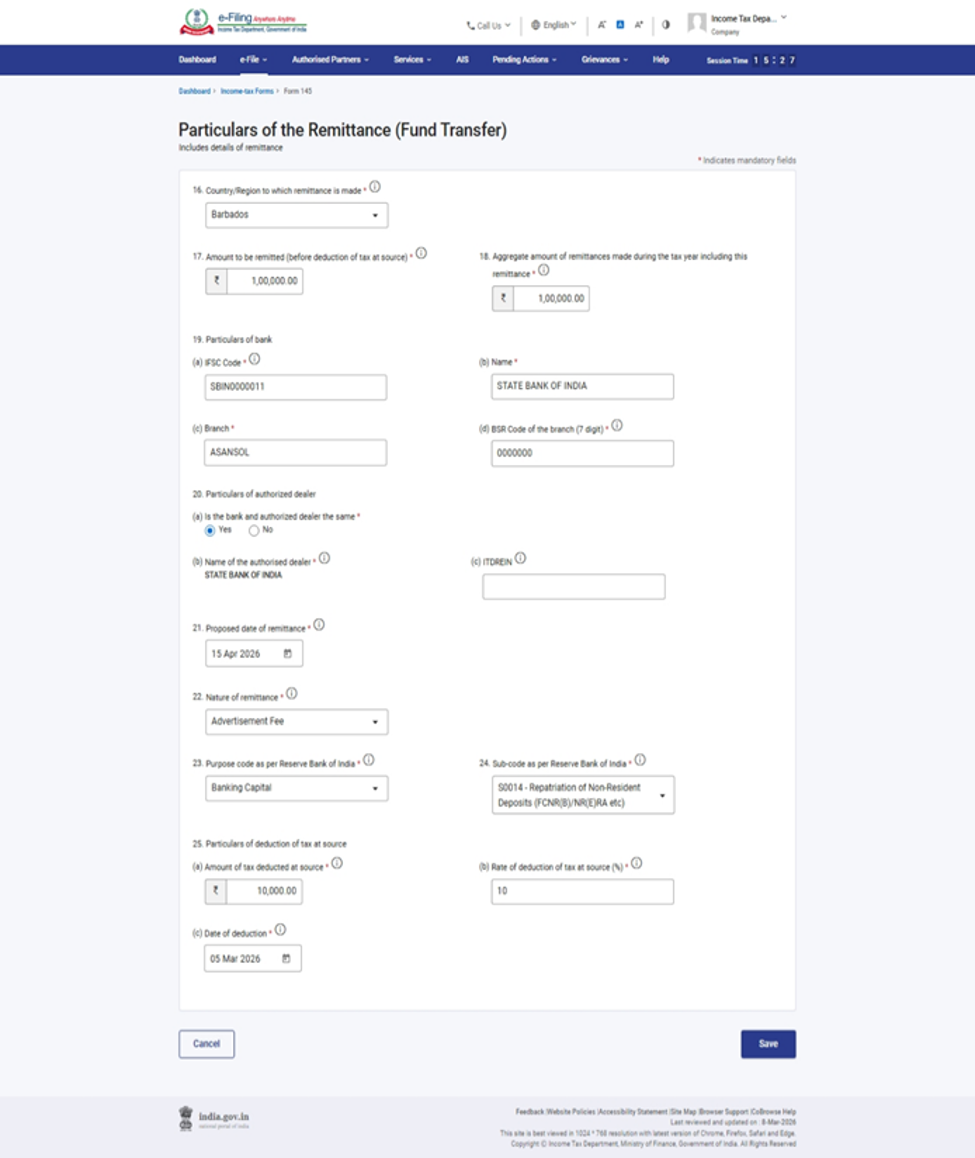
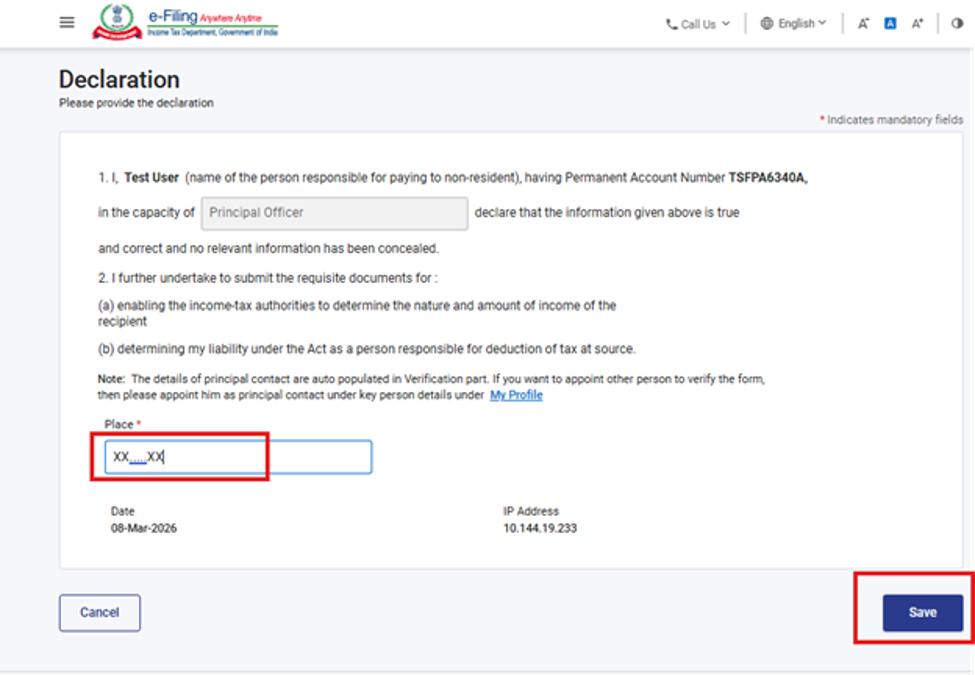
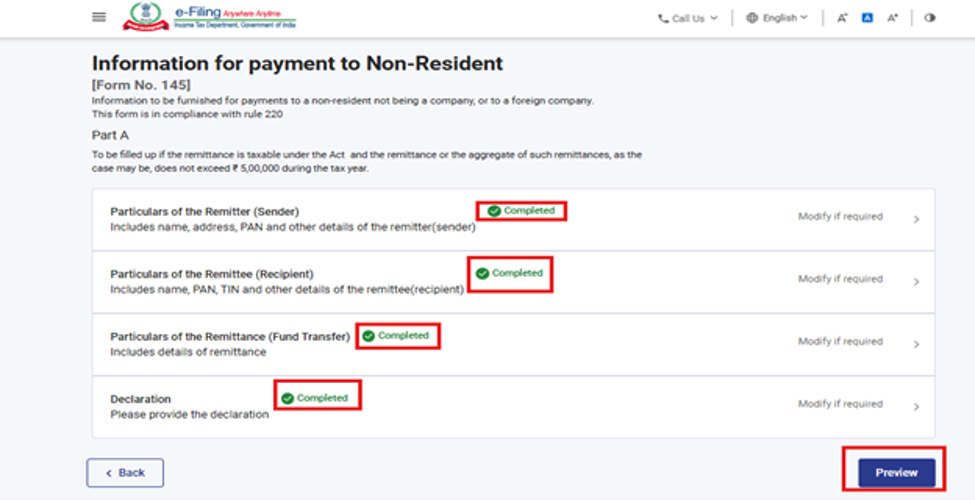
Step 8 – Complete Each Panel
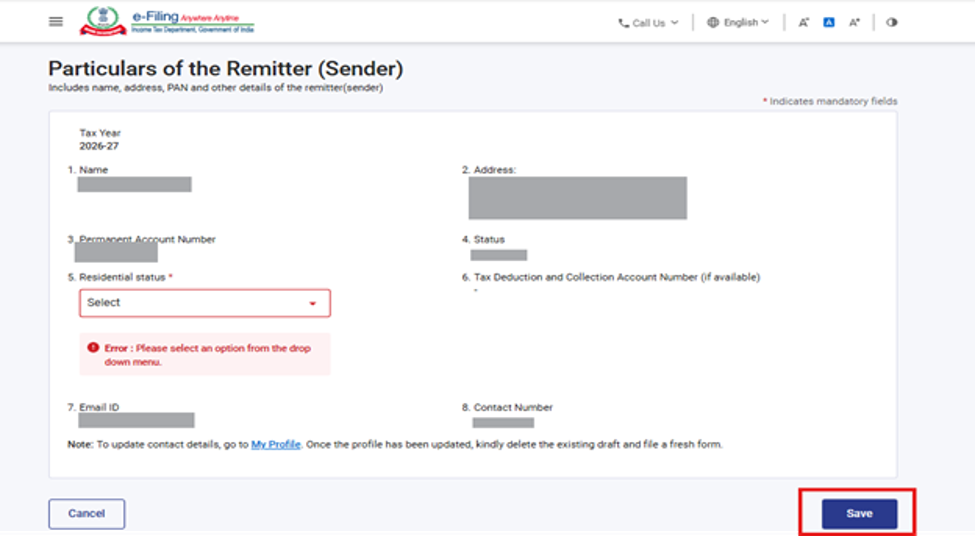
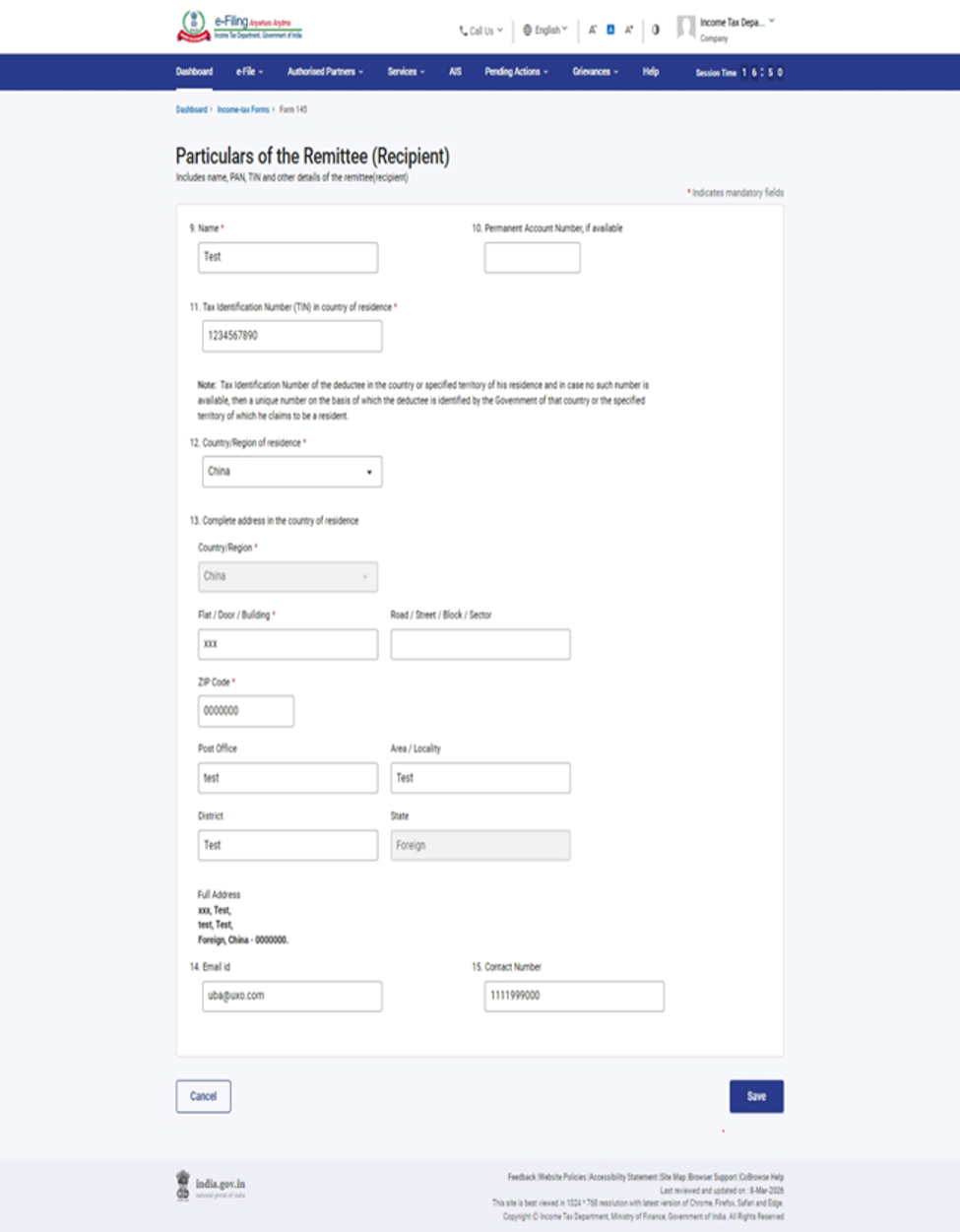
Every part contains multiple panels.
Typical panels include:
Remitter details
Remittee details
Remittance details
Tax details
Declaration
After entering the information in each panel:
Click Save.
A green Completed status appears once all mandatory fields have been filled correctly.
What should you verify?
Remitter Details
Ensure the PAN, address and contact information are correct.
Remittee Details
Verify the foreign recipient’s name, country, address and Tax Identification Number (if available).
Remittance Details
Check:
- Amount
- Currency
- RBI Purpose Code
- Nature of payment
- Date of remittance
- Authorised Dealer bank details
Incorrect purpose codes are one of the most common reasons for delays in processing foreign remittances.
Step 9 – Review the Preview
Once all panels are marked Completed, the Preview button becomes active.
Review every section carefully.
Pay special attention to:
- Taxability
- Amount
- Country
- PAN
- TDS details
- Purpose Code
- DTAA information (where applicable)
If any information is incorrect, return to the relevant panel and make the necessary corrections.
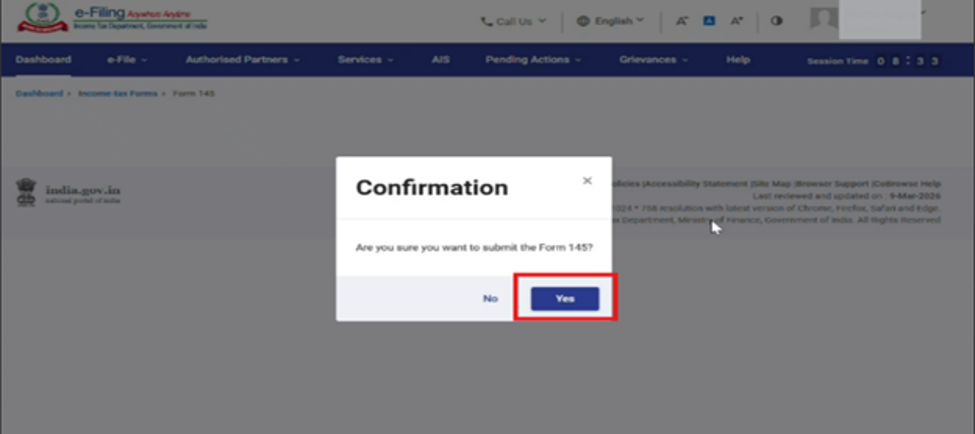
Step 10 – Proceed to E-Verification
Click:
Proceed to e-Verify
A confirmation message appears.
Select Yes to continue.
Step 11 – Verify the Form
Depending on your eligibility, the portal allows verification using:
Digital Signature Certificate (DSC)
Aadhaar OTP
Electronic Verification Code (EVC)
Complete the verification process.
Step 12 – Successful Submission
After successful verification:
The portal generates:
Transaction ID
Acknowledgement Number
Download and save the acknowledgement for your records.
A confirmation is also sent to your registered email address and mobile number.
How to File Form 145 – Part C
If your remittance requires Form 146 from a Chartered Accountant, follow these additional steps.
Step 1 – Select Part C
Open Form 145.
Choose:
Part C
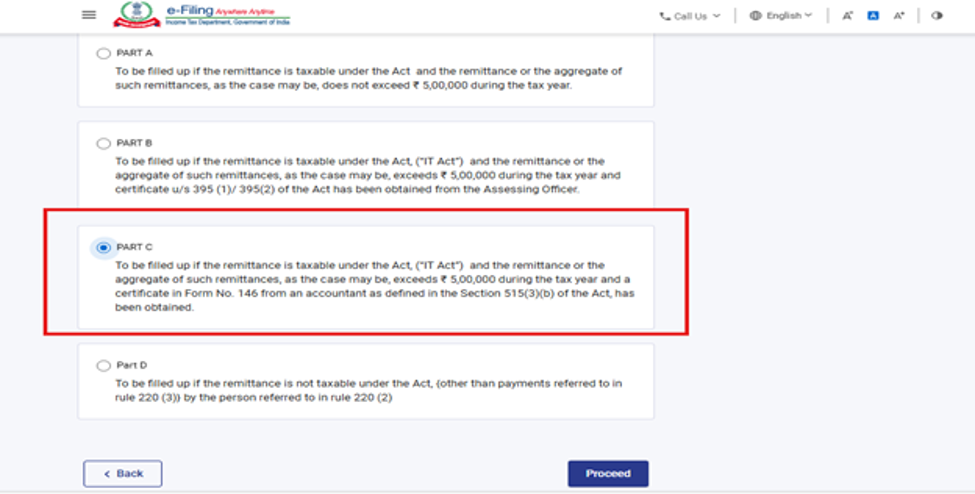
Step 2 – Ensure Form 146 Has Been Filed
Before proceeding:
Assign Form 146 to your Chartered Accountant.
The CA must file Form 146 successfully.
Obtain the Acknowledgement Receipt Number (ARN) generated after filing.
Without the ARN, Part C cannot be filed.
Step 3 – Enter the ARN
Enter the Acknowledgement Number of the filed Form 146.
Click Proceed.
The portal automatically retrieves the information submitted by the Chartered Accountant
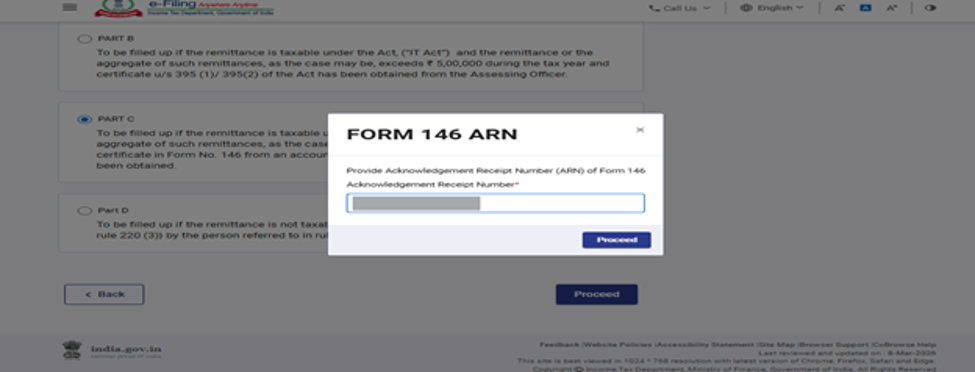
Step 4 – Review Every Panel
Unlike Parts A, B and D, most fields are already populated.
Review every panel carefully.
Check:
Remitter details
Remittee details
Taxability
DTAA information
TDS computation
Accountant’s certificate details
If any discrepancy is noticed, contact the Chartered Accountant before filing Form 145.
Do not modify tax-related information without consulting the CA.
Step 5 – Preview the Form
Click Preview.
Review the imported information carefully.
If everything is correct, click Proceed to e-Verify.
Step 6 – Complete E-Verification
Verify the form using:
DSC
Aadhaar OTP
EVC (where available)
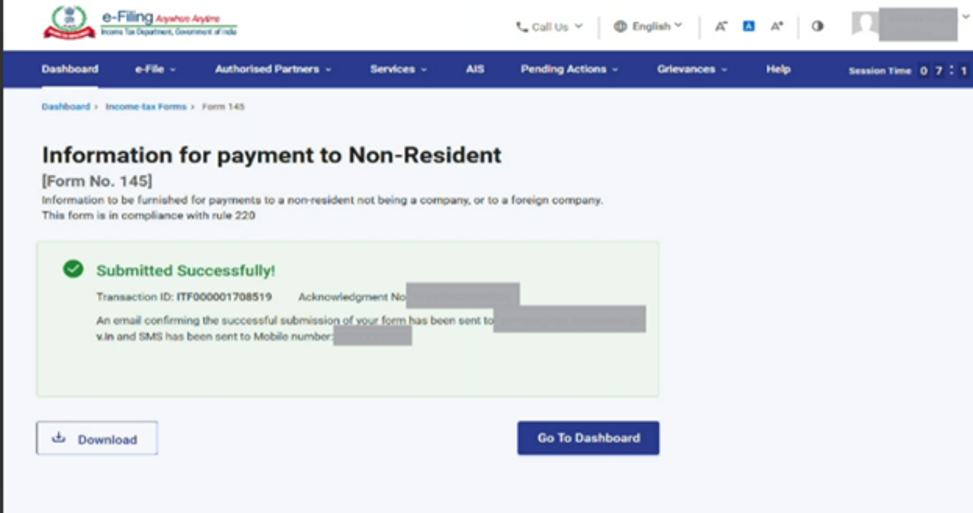
Step 7 – Submission Successful
Once verification is complete:
The portal generates:
Transaction ID
Acknowledgement Number
Save the acknowledgement.
This acknowledgement is generally required by the authorised dealer bank before processing the foreign remittance.
Quick Reference: Which Part Should You Choose?
Situation
Applicable Part
Taxable remittance up to ₹5 lakh - Part A
Taxable remittance above ₹5 lakh with Assessing Officer’s certificate - Part B
Taxable remittance above ₹5 lakh with Chartered Accountant’s Form 146 - Part C
Remittance not chargeable to tax in India - Part D
Final Tips Before Filing
- Select the correct part of Form 145 before entering details.
- Verify whether DTAA benefits are available and ensure a valid Tax Residency Certificate (TRC) is obtained where required.
- Confirm that the RBI Purpose Code accurately reflects the nature of the remittance.
- Review every panel carefully before e-verification.
- Download and retain the acknowledgement for future reference and submission to the authorised dealer bank.